v1.1.0 - For Unreal Engine 5.8

Author Unreal gameplay in a language that compiles itself.

TPScript is a native editor plugin that turns compact, readable .tps sources into real Runtime C++ - directly inside the Unreal editor. No Python, no external CLI, no boilerplate.

15curated examples
0external deps
inlinelexer · parser · emitter
enemy_hunter.tps
class enemy_hunter extends character meta: api=GAME_API { edit move_speed: number = 600.0 edit detect_radius: number = 1500.0 component body: static_mesh when_begin { print "Hunter ready" } run_from_blueprint attack() { // callable from any Blueprint } }
15end-to-end examples
2authoring styles
1click to regenerate
0Python / external tools
What is TPScript?

The happy middle between Blueprints and hand-written C++.

You get the velocity of a scripting language and the power, runtime performance and editor integration of compiled C++ - with none of the ceremony.

⚡

Real compiled performance

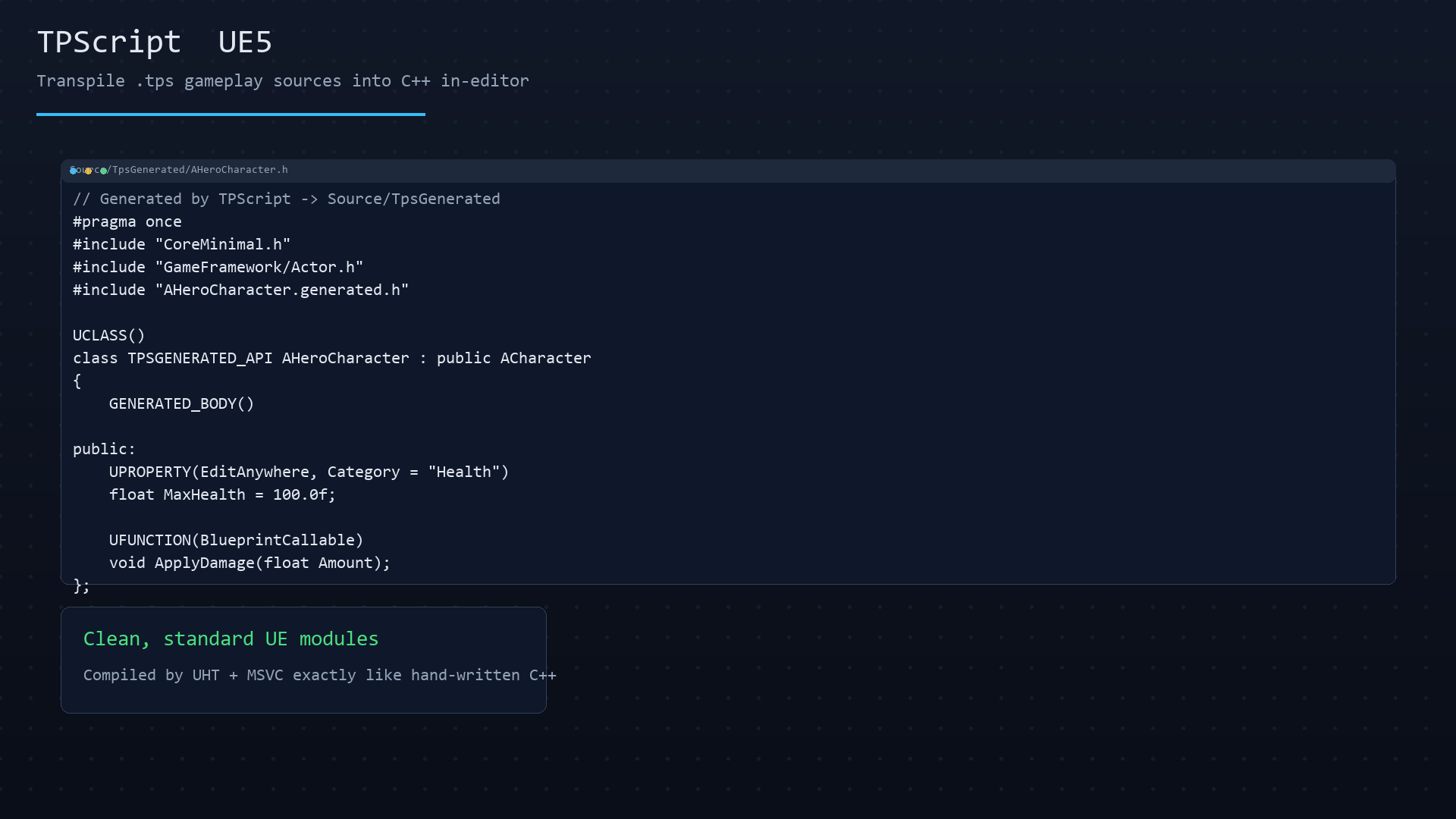
Output is genuine UCLASS / UPROPERTY / UFUNCTION C++, compiled by UHT + MSVC/Clang exactly like code you wrote by hand. No interpreter overhead at runtime.

🧩

Native editor integration

A dockable panel, one-click regeneration, dirty-state tracking, and a built-in reference. It lives inside the Unreal editor - not in a separate workflow.

📖

Beginners to experts

Mix a friendly high-level style (inferred types, auto Blueprint UI) with low-level syntax where you write UE specifiers directly - all in the same file.

🧹

Say goodbye to boilerplate

Skip the #includes, forward declarations, API macros and repetitive Getter/Setter wiring. Write the intent; the transpiler emits the C++.

🛠️

Self-contained engine

The lexer, parser and emitter are compiled directly into the plugin as dependency-free C++17. Pure, portable, and verified on Windows and macOS.

🤝

Works with Blueprints

Generated functions and events surface natively in the Blueprint graph. Call into TPScript from Blueprints, or let Blueprints implement your events.

How it works

From .tps to a compiled module in one click

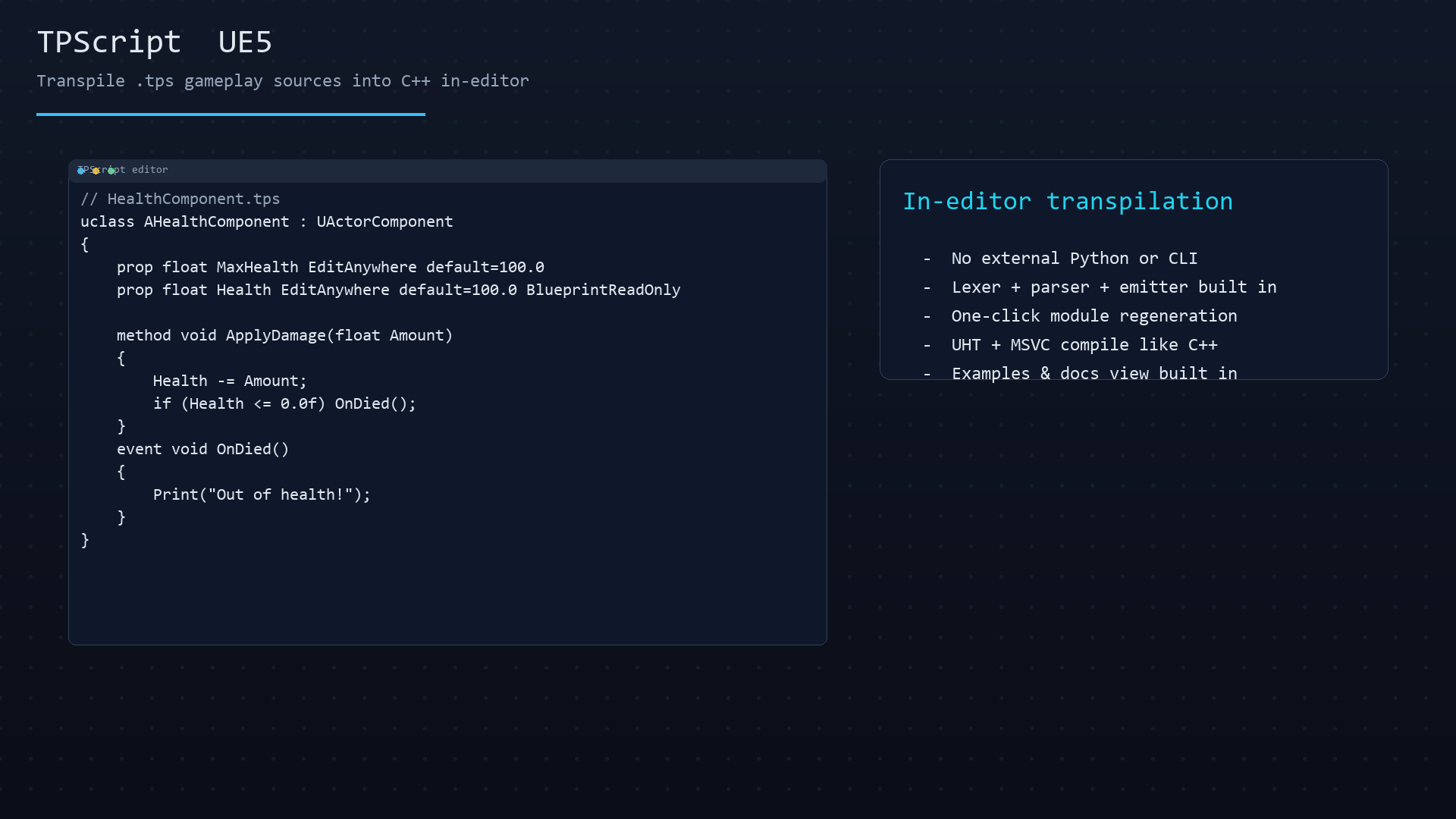
Write in the editor panel, hit Regenerate, and the plugin transpiles your source into clean C++ in a runtime module - then just press Compile.

1

Write

Create a .tps file in the panel's editor with typed, readable gameplay code.

→
2

Lex · Parse · Emit

The embedded transpiler tokenizes, parses and emits textbook C++ - inline, no Python.

→
3

Regenerate

Non-invasive code appears in Source/TpsGenerated as real modules.

→
4

Compile & play

Press Compile in the editor. Native UHT + MSVC build, ready to drop into a level.
Features

Everything a gameplay scripter needs, built in

A full editor experience around the transpiler, not just a compiler button.

🔁

One-click regeneration

Tools > Regenerate TPScript Module rebuilds gameplay C++ from your sources.

🗂️

Editor tabs & files

New / Open / Save / Save All / Close, with dirty-state tracking and a status bar.

🧪

Examples view

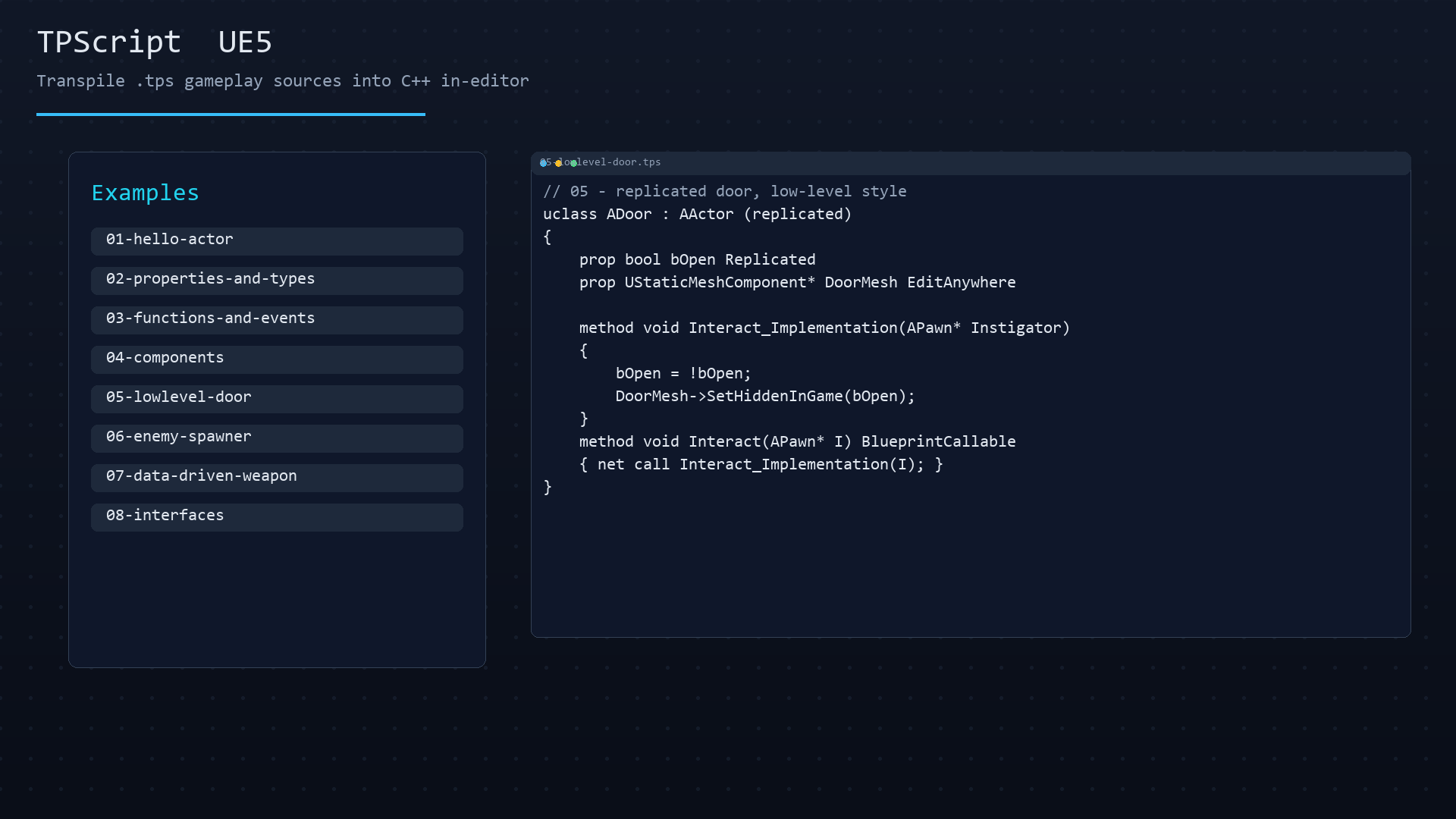
15 styled, click-to-open examples from a hello-world actor to AI and animation.

📚

Docs view

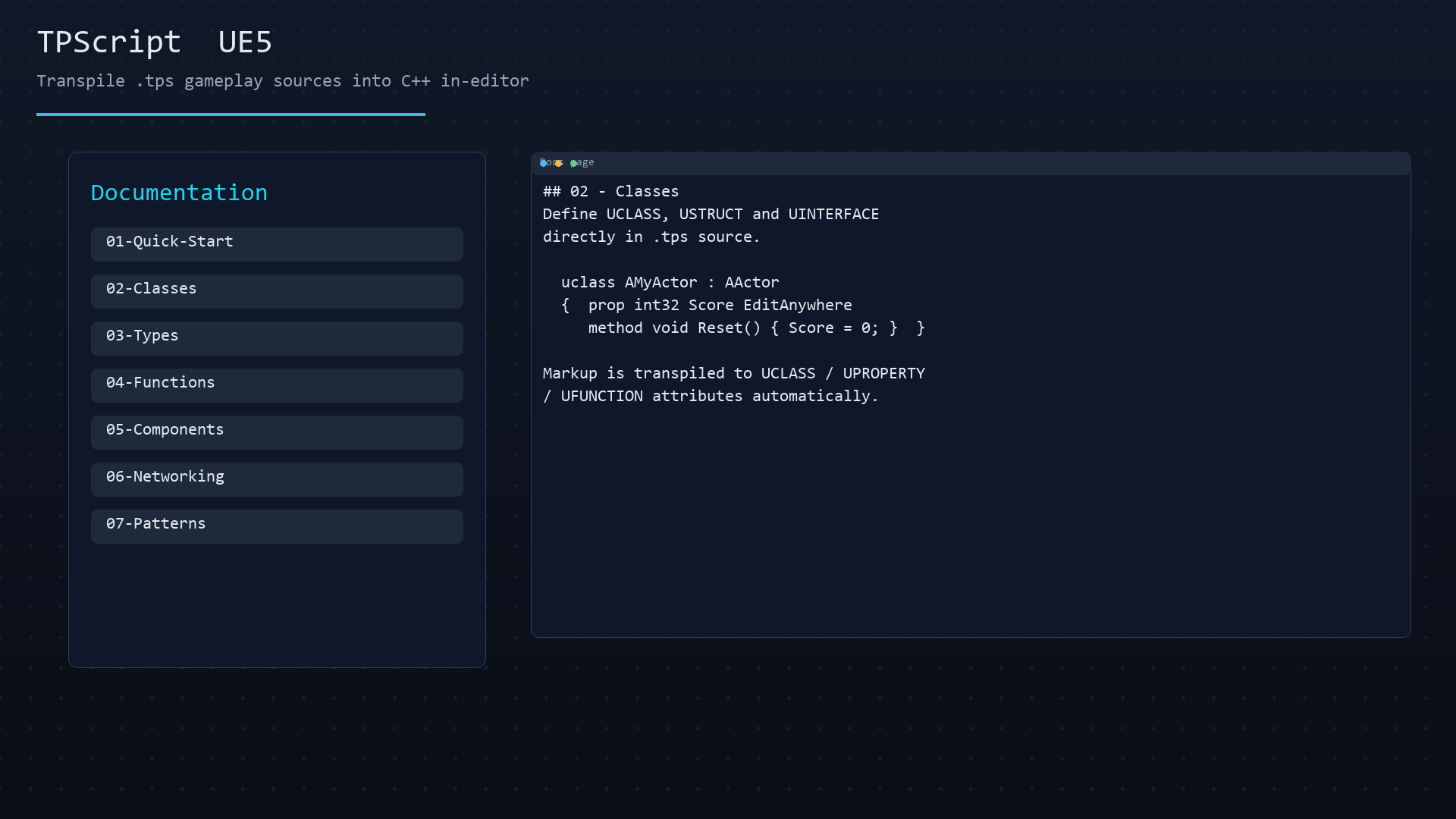
In-editor reference covering types, classes, functions, components and patterns.

🧱

Clean modules

Generated output is UHT + MSVC compiled like hand-written C++ - familiar and debuggable.

🟦

Blueprint-friendly

BlueprintCallable, events and dynamic multicast delegates surface in the graph.

🖥️

Windows + macOS

Both platforms continuously verified by a bundled GitHub Actions BuildPlugin CI.

🎓

Learn by doing

Step through the examples 01 → 15 to master the language at your own pace.

Two authoring styles

Friendly when you want it, explicit when you need it

TPScript has two grammar modes you can mix per file. Start friendly, graduate to full control.

High-level (beginner)
Low-level (full control)
Type system
Functions & events
// Friendly: inferred types, auto Blueprint UI class my_actor extends actor meta: api=GAME_API { edit message: name = "Hi!" component body: static_mesh when_begin { print message // auto-maps to UE logs } run_from_blueprint attack() { // callable from any Blueprint graph } }
Curriculum

15 end-to-end examples, each one compiles

A curated, progression-aware set shipped with the plugin. Open any one in the panel, change it, and regenerate.

01
Hello ActorMinimal actor + message
Basics
02
Properties & TypesFriendly + explicit types
Basics
03
Functions & EventsFunctions, events, delegates
Basics
04
ComponentsMesh, collision, camera
Building
05
Low-Level DoorComponents, delegate, timer
Building
06
Enemy SpawnerSpawn pools + events
Building
07
Data-Driven WeaponUSTRUCT design-time tuning
Data
08
InterfacesShared contracts
Data
09
AI BehaviorController + view cone
AI
10
UI HUDUMG widgets
UI
11
AnimationAnimInstance overrides
Animation
12
AudioAudio components
Audio
13
CameraCameraManager logic
Camera
14
Weapon Data AssetUDataAsset rows
Data
15
Boost MovementMovementComponent
Movement
🎓
Demo ProjectTPScriptDemo - full starter
Bonus
Try it live

The transpiler, running in your browser

This is the real TPScript compiler on the server. Edit any bundled example (or write your own), hit Transpile, and watch it generate Unreal C++ classes. Nothing to install.

Examples

loading...
Ready
Generated C++
Write TPScript on the left, then hit Transpile to generate Unreal C++.
Live mode transpiles automatically as you type.

Runs the genuine tpscript transpiler server-side. Output is the real generated .h / .cpp you would drop into a UE module.

Language reference

A few tables to get you oriented

High-level members
KeywordMeaning
editEditable, visible in editor & Blueprints
internalPrivate state, no exposure
componentUPROPERTY component, auto-constructed
Low-level members
KeywordMeaning
propUPROPERTY with your specifiers
fieldPlain C++ member (no UPROPERTY)
funcUFUNCTION
methodPlain C++ method (not exposed)
ctorConstructor body
Common components
KeywordUE class
static_meshUStaticMeshComponent
box / collisionUBoxComponent
cameraUCameraComponent
arrowUArrowComponent
audioUAudioComponent
Base classes
extends …Maps to
actorAActor
pawnAPawn
characterACharacter
controllerAController
widgetUUserWidget
Installation

Up and running in four steps

Works from Fab / the Epic Games Launcher, or manually from the source zip.

1

From Fab / Launcher

  1. Add the plugin to your library on Fab.
  2. Click Install to Engine for your engine version.
  3. Open your C++ project → Edit > Plugins → enable TPScript UE5.
  4. Restart the editor when prompted.
2

Manual (zip / source)

  1. Copy TpscriptUE5 into your project's Plugins/.
  2. Put .tps sources in a TPScripts/ folder.
  3. Open the project - it's auto-discovered.
  4. Regenerate, then press Compile in the editor.
3

Jump in

  1. Open Tools > TPScript Panel.
  2. Switch to the Examples tab.
  3. Double-click 01-hello-actor.tps.
  4. Press Regenerate to compile it to C++.
🖥️

Windows & macOS

Both verified continuously by the bundled GitHub Actions BuildPlugin CI matrix.

🔧

Requires a C++ project

A Source/ folder is required - the plugin generates and compiles runtime modules.

🎁

Demo project included

The TPScriptDemo starter shows components, stamina, weapons & pickups in one small project.

Download now

Grab a copy directly

No store checkout needed. Download the plugin or the demo project below and follow the install steps above.

🧩

TPScript UE5 Plugin

The editor plugin: transpiler engine, panel, examples and in-editor docs. Drop it into your project's Plugins/ folder.

18.4 MB · zip v1.1.0 UE 5.8
TpscriptUE5-1.1.0.zip ↓
🎓

TPScriptDemo Project

A complete starter project with components, stamina, weapons and pickups - see TPScript in action end to end.

18.5 MB · zip v1.1.0 UE 5.8
TPScriptDemo-1.1.0.zip ↓

Prefer the reviewed, storefront version with one-click engine install? Get it on Fab.

FAQ

Common questions

Do I need Python, Node or any external CLI?
No. The lexer, parser and emitter are compiled directly into the plugin as dependency-free C++17. Everything runs inside the Unreal editor.
Is the generated code real C++ or interpreted?
Real C++. Regeneration produces genuine UCLASS / UPROPERTY / UFUNCTION source that is compiled by UHT + MSVC/Clang exactly like hand-written code - full runtime performance and full debugging.
Can I mix TPScript with existing C++ and Blueprints?
Yes. Generated functions and events appear natively in the Blueprint graph, and you can include any UE header. TPScript composes with your existing project.
Do I need the high-level grammar?
No - you can use low-level syntax exclusively. The two styles share the same files and can be mixed per file, so you choose based on the task and your comfort.
What engine versions are supported?
UE 5.8 is the currently supported and verified version. The plugin ships as source and is compiled by UBT on first launch.
How do I install the directly downloaded zip?
Unzip TpscriptUE5-1.1.0.zip, copy the TpscriptUE5 folder inside into your project's Plugins/ directory, open the project, enable the plugin in Edit > Plugins and restart the editor. Put your .tps files in a TPScripts/ folder and regenerate from the panel.
Can I still get it from Fab?
Yes, the plugin is also available on Fab with one-click engine install and notifications of updates. The direct zip here is the identical V1.1.0 build.
Is networking / replication fully code-generated?
Networked / property-replicated actors are on the roadmap. The current release focuses on deterministic single-actor gameplay logic, which all shipped examples are written against.
Is there documentation?
Yes - an in-editor reference plus Docs/ covering quick start, classes, types, functions, components, networking and common patterns.
What's the license?
MIT - free to use, modify and distribute. See the bundled LICENSE.

Write less. Ship faster.

Author gameplay in a language that compiles itself - right inside Unreal Engine 5.8.

Download TPScript free ↓